16.1 Activity Log
The Activity log gives you as administrator an overview of what E-Marketing Manager activities have been carried out by which user within a specific period. If you use, for example, several user accounts or have work on E-Marketing Manager carried out by different colleagues, the Activity log gives you an ongoing picture of what has been done. The activity log is audit-proof and cannot be manipulated. In this way, it is possible, for example, to trace if contents have been accidentally or even deliberately damaged or stolen. In the event that a backup is required, it is possible to see how far back in time it is necessary to go to restore.
The activities recorded by E-Marketing Manager include, for example, registrations by users or loading of a mailing.
-
View, create, edit and delete clients
-
View, create, edit and delete users
-
View, create, edit and delete permissions for users
-
View, create, edit and delete user roles
-
Change user passwords
-
View, create, modify, delete, activate, deactivate and release mailings
-
Upload and download files
-
View, create, edit and delete import profiles
-
View, create, edit, delete, enable and disable automated import profiles
-
View, create, edit and delete export profiles
-
View, create, edit, delete, enable and disable automated export profiles
-
View, create, edit and delete campaign managers and enable and disable campaigns
-
RESTful requests with timestamp, user, endpoint, request method and description
You call the activity protocol from the E-Marketing Manager main menu via
Administration, Activity log. E-Marketing Manager now lists all activities for the current day. If you also use web service interfaces in your client, you will find the RESTful and SOAP user activities in separate tabs.
You can limit the Activity log to certain Actions and Users via the Filter function. For exact analysis, you can determine a period for which E-Marketing Manager should indicate recorded activities by means of start date and end date. You can also search for specific words within the description of a log. Clicking on Apply filter accepts these settings.
For non-administrators, a restricted version of the Activity log is available, in which a user sees only his own activities.
Please note: For reasons of the data protection, we require a corresponding written order from you for enabling the full functionality of the Activity log, i.e. insight into the user logs of all users of a client.
As personal data is collected in the Activity log, it is also possible to create a corresponding information report using the save as CSV function. The data is thus provided in compliance with EU GDPR.
Note: The last login time for SOAP and RESTful users is updated only once per hour.
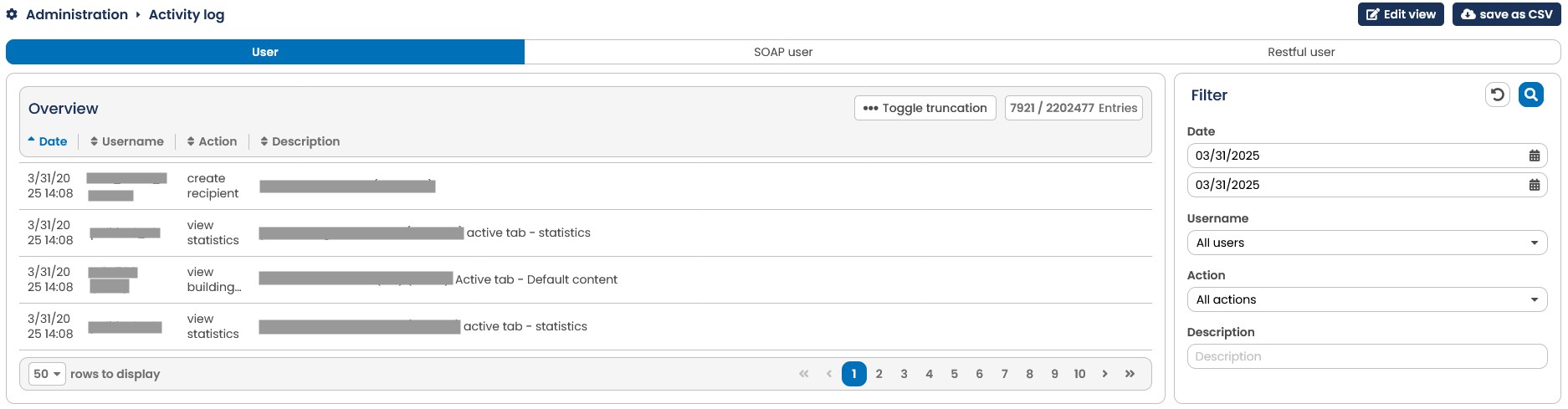
Fig. 15.2: E-Marketing Manager logs important actions automatically in the background.