8.4 Edit field content
In the section Edit field content you can collectively edit the content of individual profile fields. Therefore you have to make the settings so that either all recipients and all mailing lists or only a certain mailing list and a certain target group, are concerned. You can adjust the settings according to your wishes in the Filter tile. By clicking Filter recipients the E-Marketing Manager will display how many recipients will be changed accordingly.
In the section values you can find all profile-data or fields that are available. The table gives you information about the individual field names as well as the field type, which means if it is either a numerical, alphanumerical or date based field. Depending on the field type you can a make a standardized entry in the column New value and by doing so, overwrite all old values or enter new values. Once you activate the switch in the column Empty field all values within the target group will be deleted. After you are finished, click Apply to safe your adjustments.
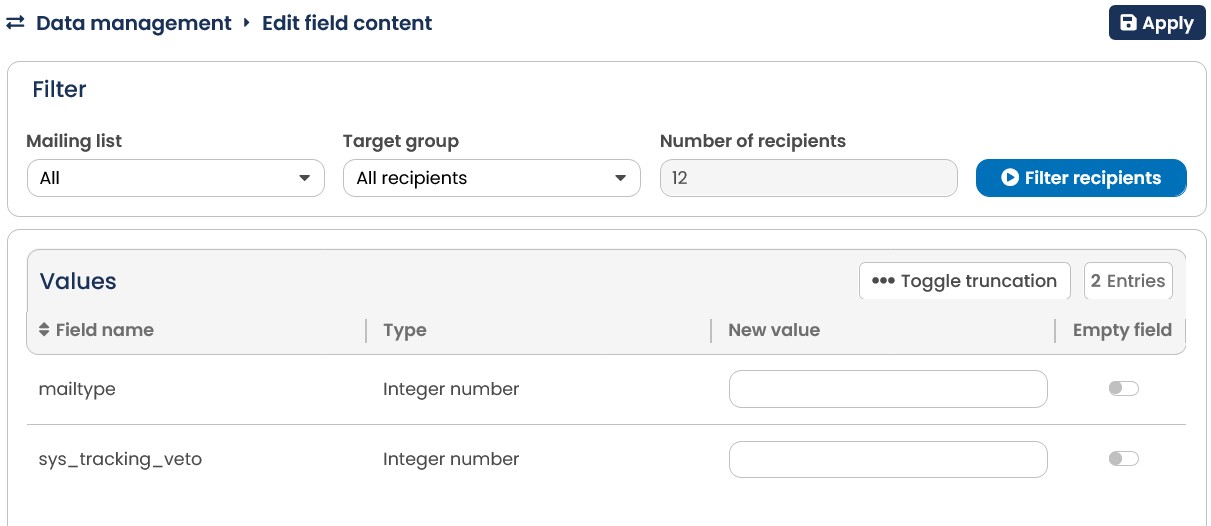
\<%IMG_IMP%>15: By editing the field content you can fill or empty database colums for chosen recipients with a consistent value.