4.9 Mailing parameters
Mailing Parameters permit the creation of individual variables for a mailing. This can for example be useful when the parameters in multiple links within the mailing are the same but differ from mailing to mailing. Mailing Parameters can be valid for all mailings or only for specific mailings.
Please note: Mailing Parameters is a feature of E-Marketing Manager that is only enabled on an as-needed basis. If you are interested in this function, please contact AGNITAS Support.
The Mailing Parameters can be created in two ways:
- The first way is via the Mailings main menu point. There, click on Mailing Parameter to get an overview of all mailing parameters. In the Overview, E-Marketing Manager shows, in addition to the name of the mailing parameter, its description and its date changed, also the Mailing ID to which the parameter belongs. If the number 0 is found next to the latter, this means that this mailing parameter is valid for all mailings. You can create a new mailing parameter in the Mailing Parameter menu by clicking on the New button. Give the mailing parameter a Name and optionally enter a Description. In addition you have to define a Value for the mailing parameter. Then select the desired mailing from the For Mailing drop-down menu.
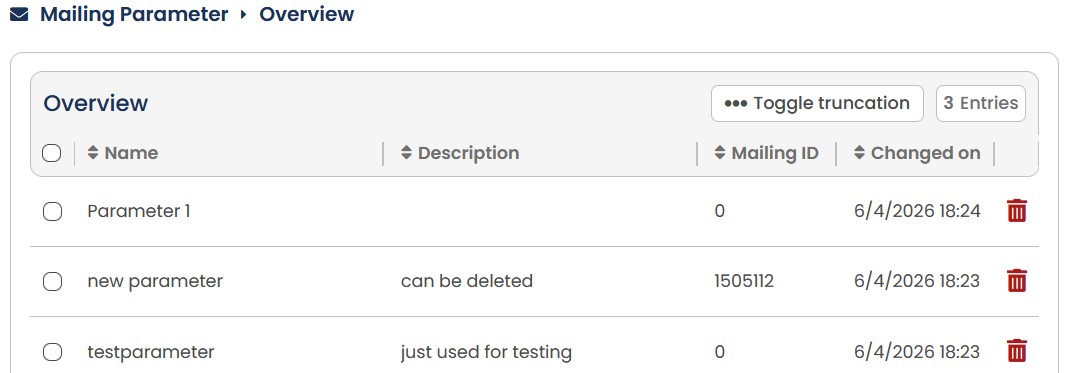
Fig. 3.94: A mailing parameter can be valid for all mailings or only for specific mailings.
- A mailing parameter can also be created directly in the mailing. In contrast to the first method, mailing parameters that have been created within a mailing are assigned only to this mailing.
Proceed as follows: In the Settings tab, go to the Extended settings section and then enter the new mailing parameter as well as an associated Value. E-Marketing Manager accepts the mailing parameters when you click on Add. Further mailing parameters can be created in the same way.
If you want to remove a mailing parameter from the list, click on the trash symbol in the corresponding line. After you have made all the settings, save these by clicking on the Save button.
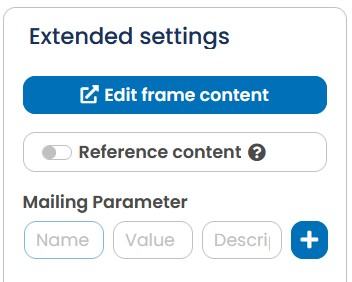
Fig. 3.95: Mailing parameters can also be created directly within a mailing but then apply to this mailing only.
If the parameters are defined, they can be included in the mailing at any time. This is done either by agnTag or within a link with a ##-Syntax for the agnTag: [agnMAILING name=“parametername“ alt=“replace“/]. An entry for the alt parameter is not mandatory. The agnTag is replaced by the value of the mailing parameter. If there is no text, EMarketing Manager either pastes in the value of alt or leaves the field empty. To use mailing parameters in trackable links, please use the following syntax: ##MAILING:parametername##.