8.10 Datasource ID
Explanation data source ID: In the Data management menu you will also find the submenu Datasource ID. Here you see a list of all Datasource IDs assigned in your client as well as the corresponding import file under Description. By default, IDs are sorted in descending order by their timestamp. Each new recipient is automatically assigned a Datasource ID by the E-Marketing Manager. This ID logs which data source was used to enter the recipient into thedatabase for the first time. This information cannot be deleted, changed or overwritten. The Recipients column shows the number of recipients with the same Datasource ID. If an already existing recipient is transferred to the EMM again, the last update process can be traced via the field Latest Datasource ID.
Since the Datasource ID is a unique feature that cannot be manipulated, this information is suitable for verification purposes. You can also use the Datasource ID in target group definitions or to search in the recipient overview. The columns are sortable in ascending and descending order, you can also filter them by specific content. If you click on an entry of the Datasource IDs in the table, you will be forwarded directly to a filtered recipient overview. Only the recipients who have the selected Datasource ID will be displayed here.
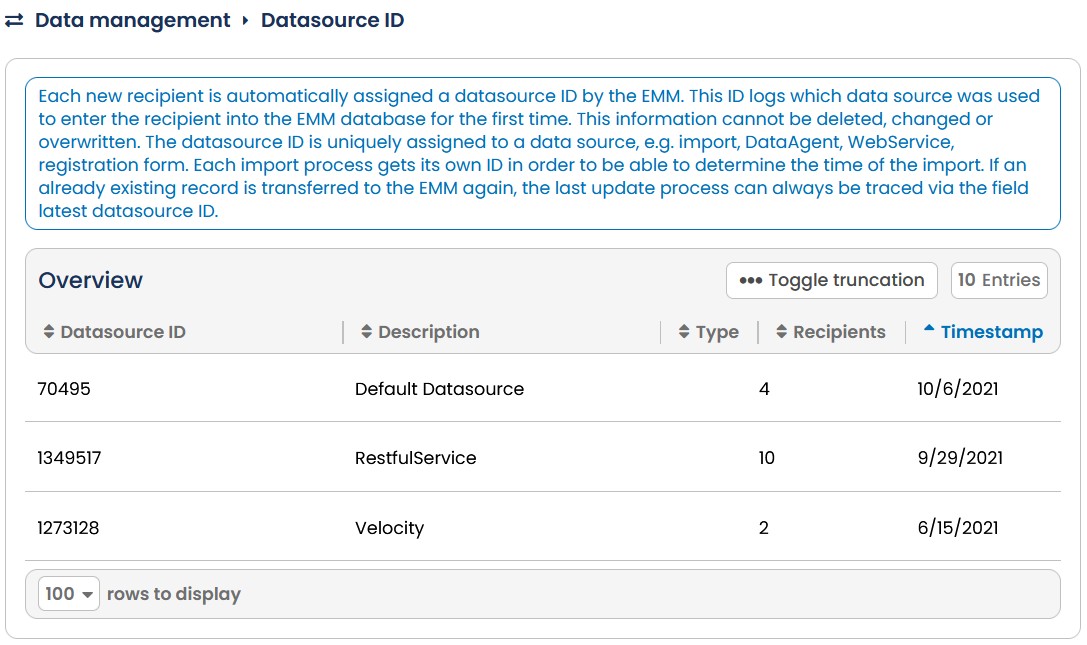
Fig. 7.32: The import & export reports generated will be stored under the Log sub-menu.