11.12 Widget
With the help of this JavaScript widget, you can quickly and easily create correct login processes for your website or shop. The widget receives all the settings required for the form directly from EMM. You can also generate a confirmation and error page and trigger the sending of a DOI mailing.
The following information is required to generate a form:
-
Type: The type “Registration” is preselected.
-
Mailing list: Here you specify which mailing list your form should apply to.
-
Double opt-in mailing: Select the DOI mailing that should be triggered by your form.
-
Success message: Enter a text here that should be displayed when the form is successfully executed.
-
Error message: Enter a text here that should be displayed if an error occurs when executing the form.
Once you have entered all the necessary information, click on Generate. The finished code for your form will then be displayed under Preview for you to copy. Below this, you will also find a graphical preview of the corresponding form, where you can test the registration process.
Note: Forms generated with the widget are always displayed in the browser language that's set.
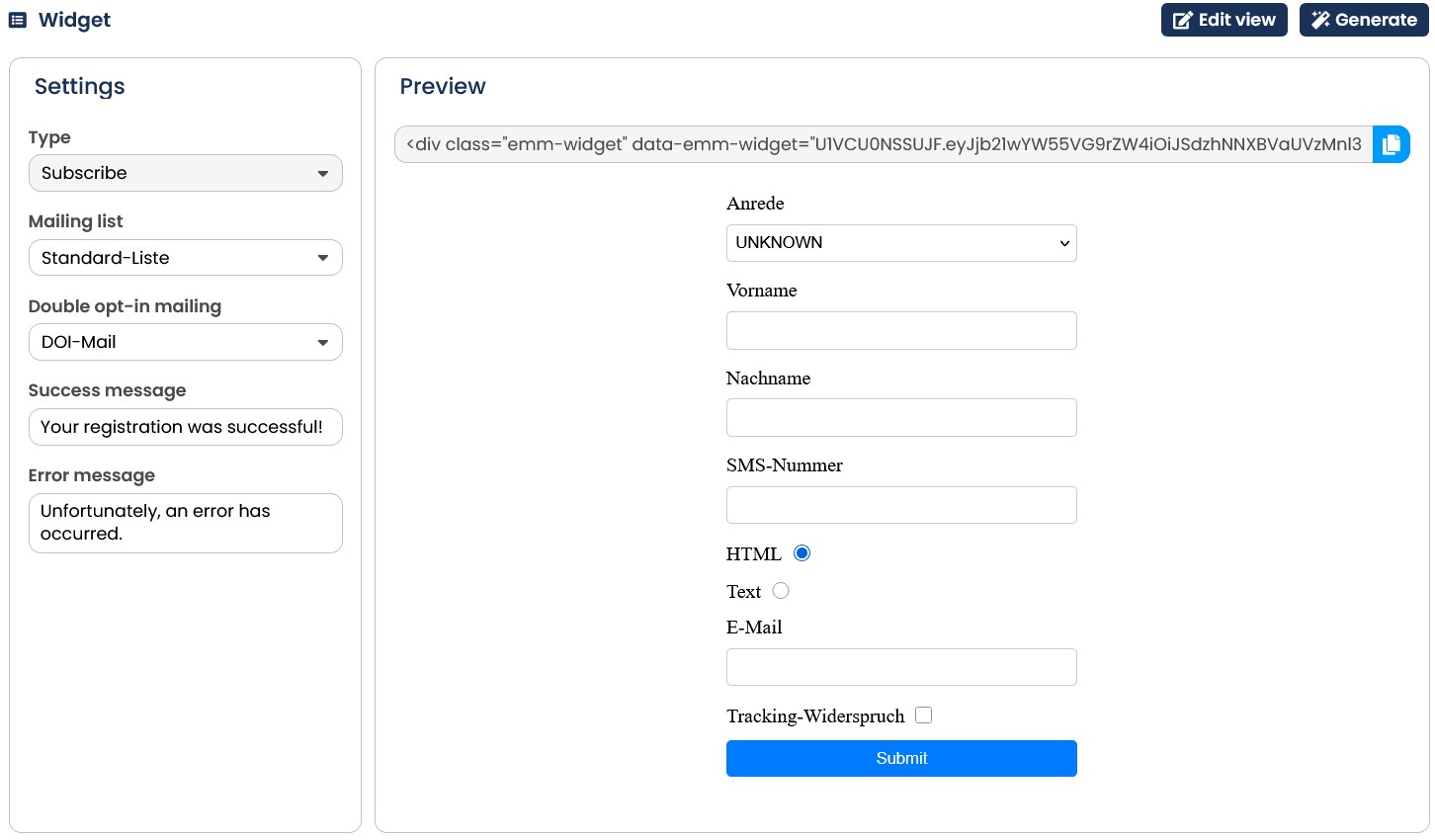
Fig. 10.29: Use the widget to create your own registration processes for your website. On the right, you will see a preview of the form you have created.